Skip to content
ClayTrace

Pottery journal & glaze log

Remember how you made it.

Snap each piece as you work, note the clay, the glaze layers, and the firing, and see what made it turn out.

Free journal · No account · No ads

Available in 12 languages

  • English
  • 日本語
  • 한국어
  • Français
  • Deutsch
  • Español
  • Italiano
  • Português
  • Nederlands
  • Polski
  • 简体中文
  • 繁體中文
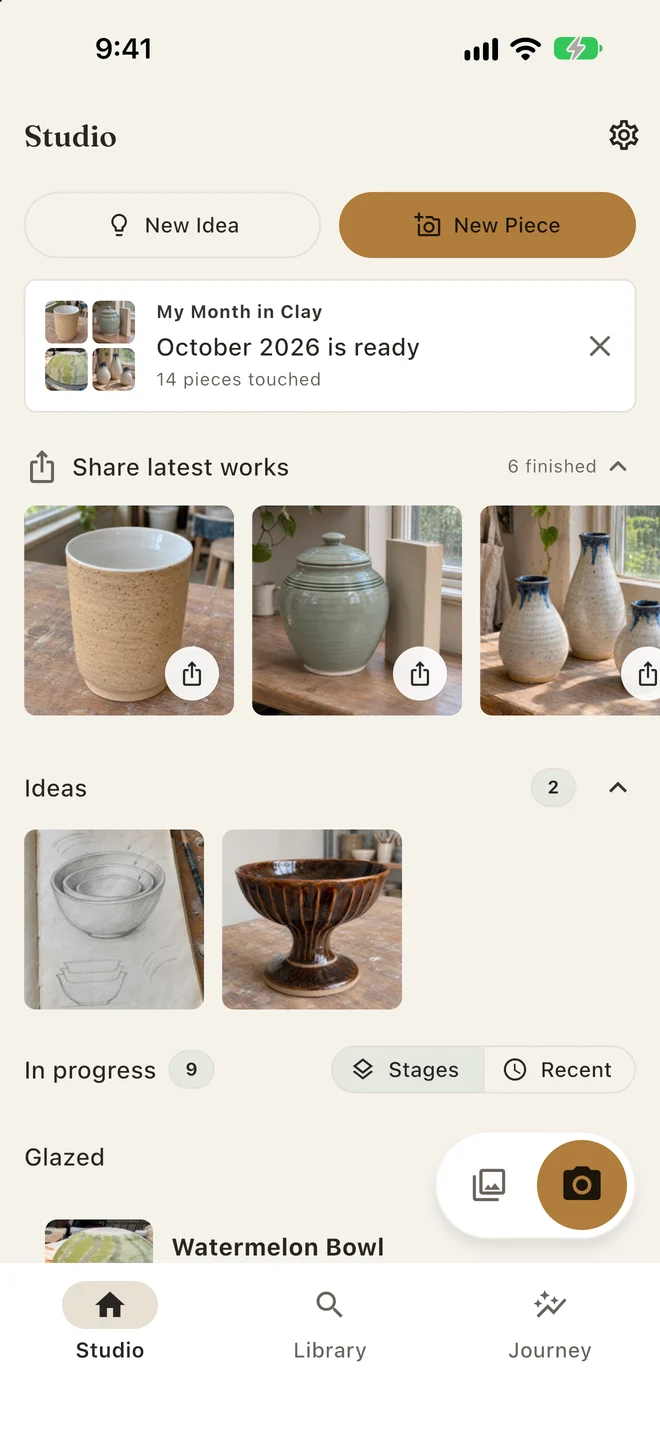
ClayTrace Studio with New Idea and New Piece, a prompt that the October Month in Clay card is ready, finished pottery to share, Ideas, and work in progress

Muddy hands now. Details later.

Tap the camera and shoot. File the photo to a piece now, or leave it in the Inbox and sort it out when your hands are clean. Photos you file later keep the date you took them.

  • Start a New Piece, add to one in progress, or save a New Idea
  • Studio keeps ideas, work in progress, and finished pieces apart
  • Open any photo full screen to crop, rotate, save, or move it

You love the glaze. Do you remember the order?

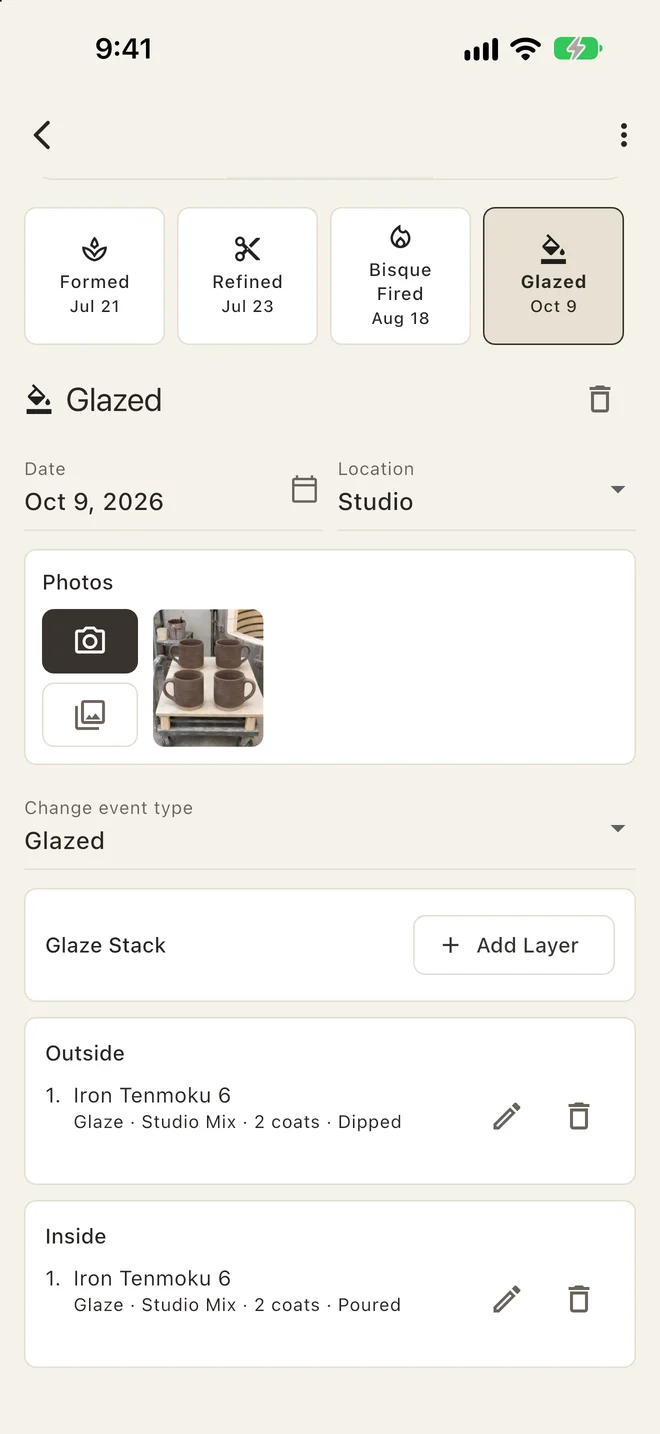
Formed, refined, bisque fired, glazed, fired, finished: each stage keeps its date, photos, and notes. Second glazes, repairs, and refires go in as they happen.

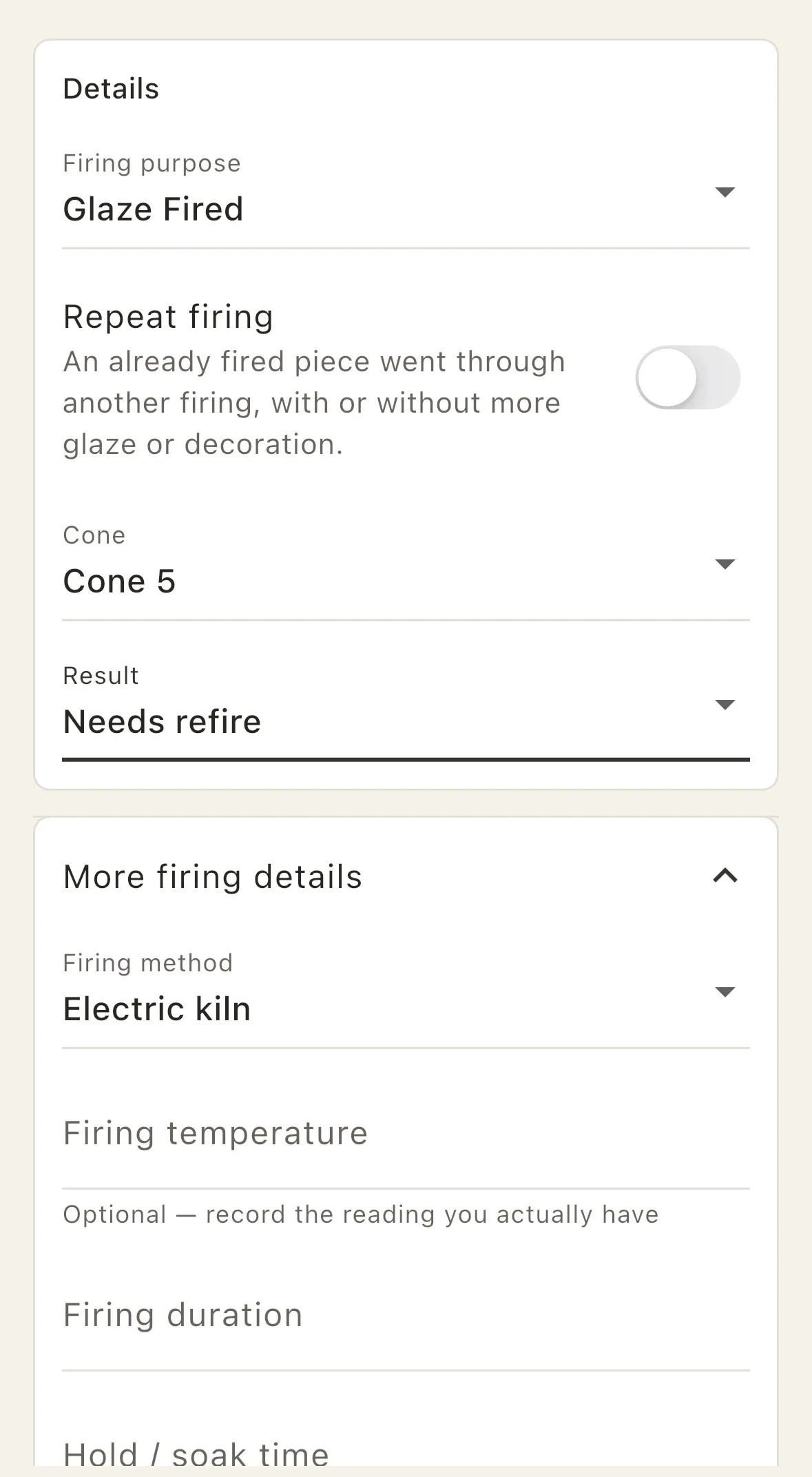
Keep glaze layers in order for the outside, rim, or inside, with coats, application method, and notes. Record the firing’s cone or temperature, duration, hold, and atmosphere alongside the piece.

A ClayTrace piece at the Glazed stage, after Formed, Refined, and Bisque Fired, with its photos and a glaze stack of Iron Tenmoku 6 dipped on the outside and poured on the inside
ClayTrace firing details with the firing purpose, a repeat firing switch, Cone 5, a needs-refire result, and fields for method, temperature, duration, and hold

Which pieces did I use that glaze on?

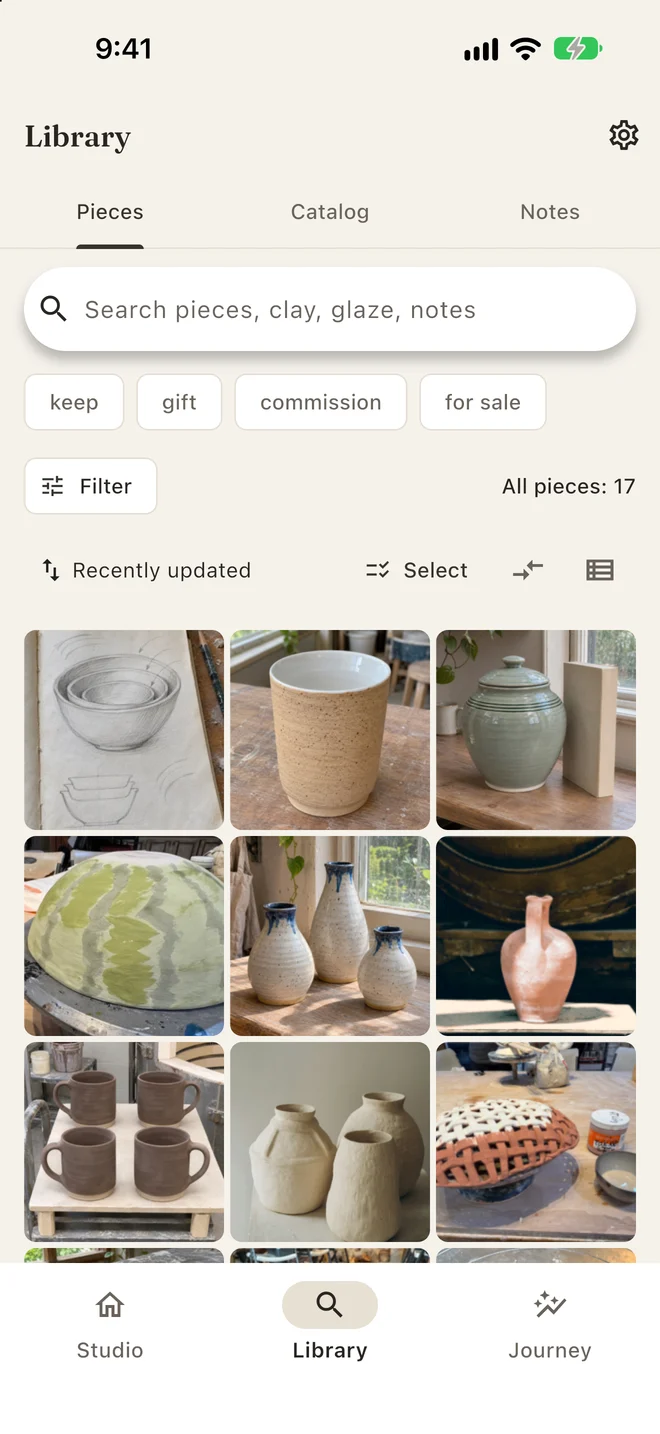
Open a glaze, clay body, form, technique, cone, or brand in the Catalog and every piece that used it is there. Search your notes for the lesson you wrote down after a crawled glaze or a cracked foot.

  • A photo-first Library with search, filters, and sorting
  • Material pages with your own instructions, mix, and a sample photo
  • The Skill Map links what you are learning to the pieces that show it
ClayTrace Library with a search for pieces, clay, glaze, and notes, tag filters such as keep, gift, and commission, and a photo grid of seventeen pieces

See how far your practice has come.

Journey shows what you have tried and what you have learned, from a first vase to the techniques you keep practicing.

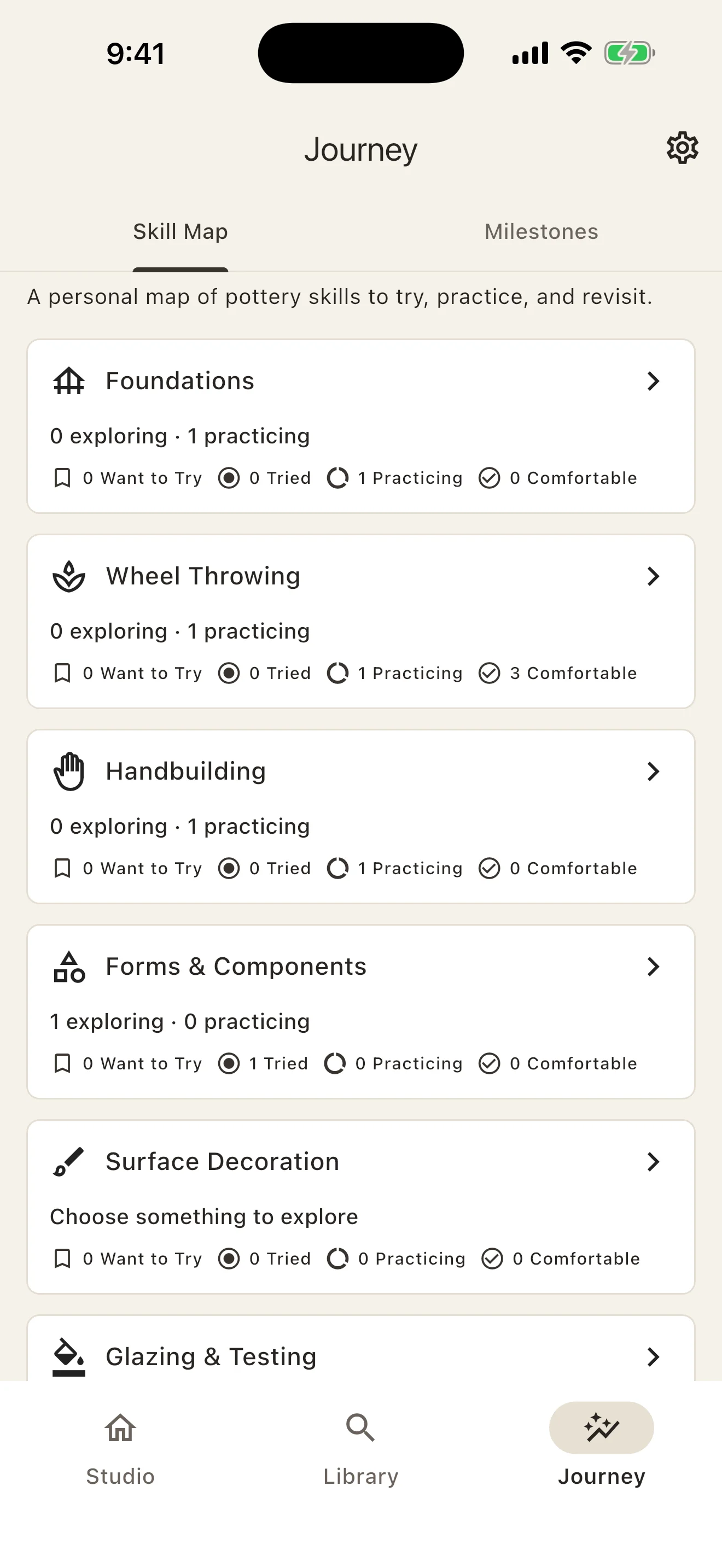
Make your own Skill Map.

Keep track of what you want to try, what you are practicing, and what feels comfortable. Each skill links back to your pieces.

ClayTrace Journey Skill Map with pottery skill groups such as Wheel Throwing, Handbuilding, and Glazing & Testing, each showing what you want to try, are practicing, or feel comfortable with

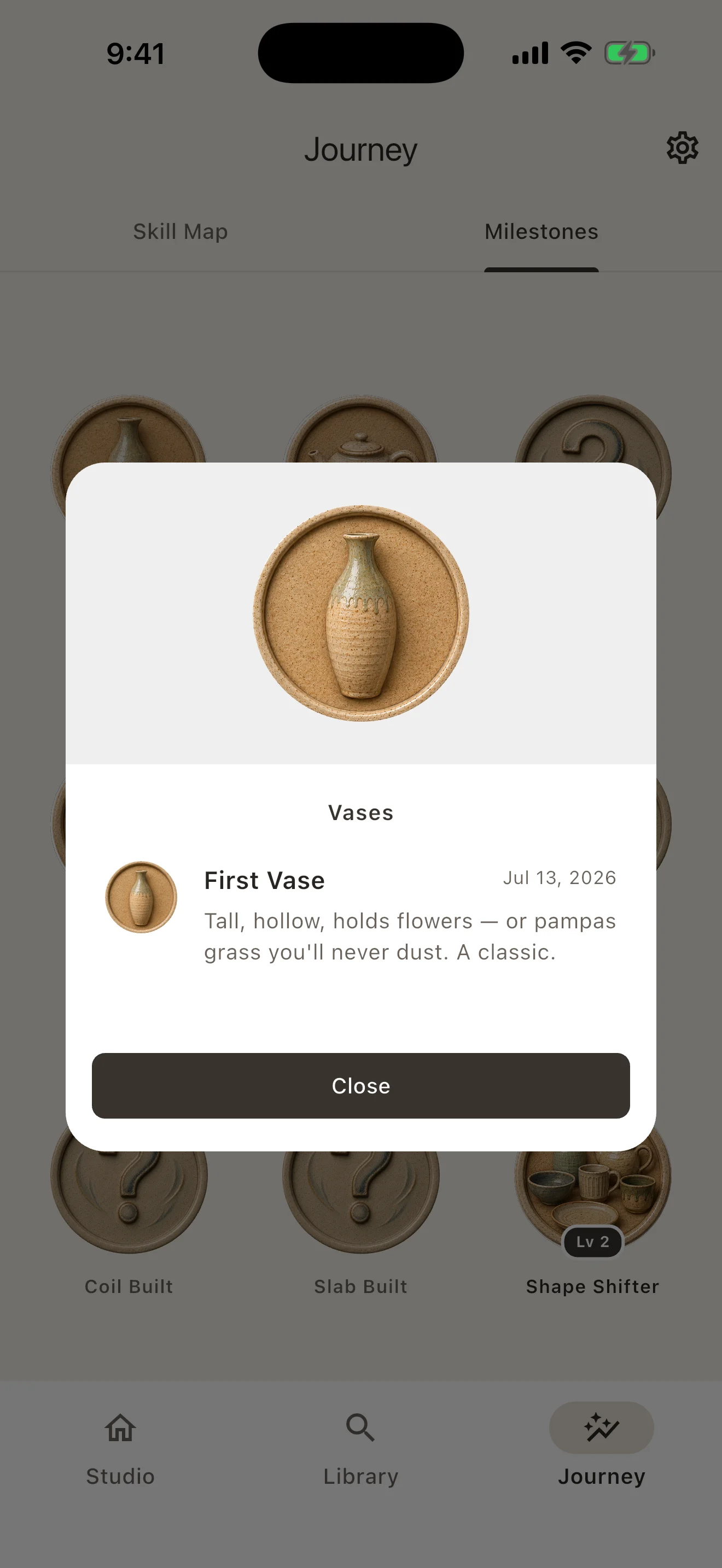
A milestone worth keeping.

Discover pottery badges as you make and finish pieces. Open a milestone to look back at the achievement and its date.

ClayTrace Journey milestones: earned pottery badges such as First Bowl, First Vase, and First Teapot beside badges still to discover

Month in Clay · Included free

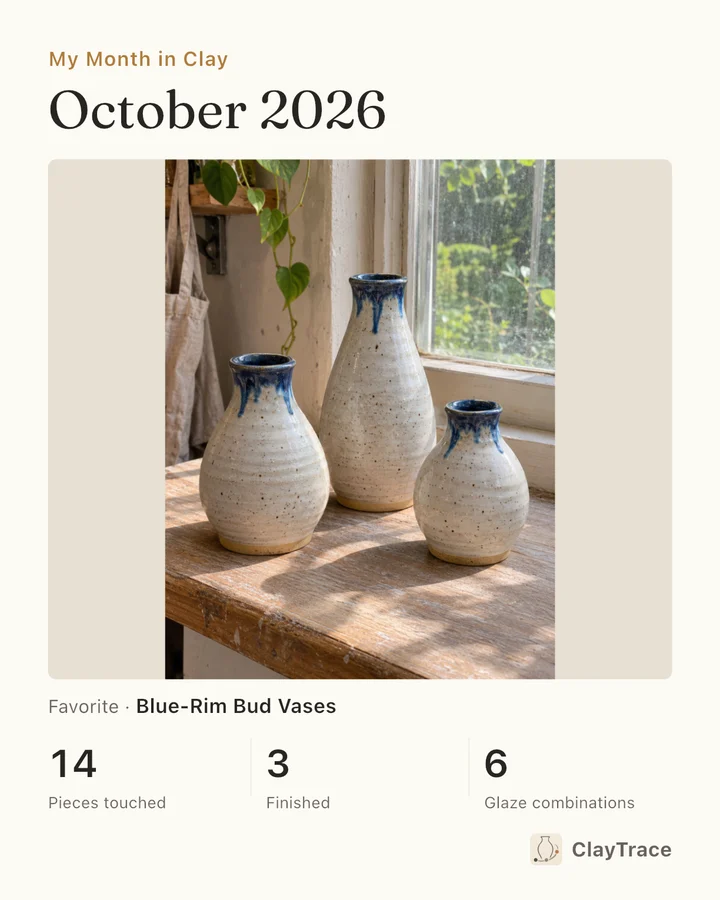
A month of making, in one card.

Choose a favorite photo from last month and turn it into a card of your pottery practice. The totals come straight from your records: pieces touched, pieces finished, and glaze combinations.

  • Find past months in Journey, beside your skills and milestones
  • Preview your card, then save the image or share it with a caption
My Month in Clay card for October 2026 with a photo of blue-rim bud vases and the month’s totals: 14 pieces touched, 3 finished, 6 glaze combinations
One of your photos. A month of your practice.

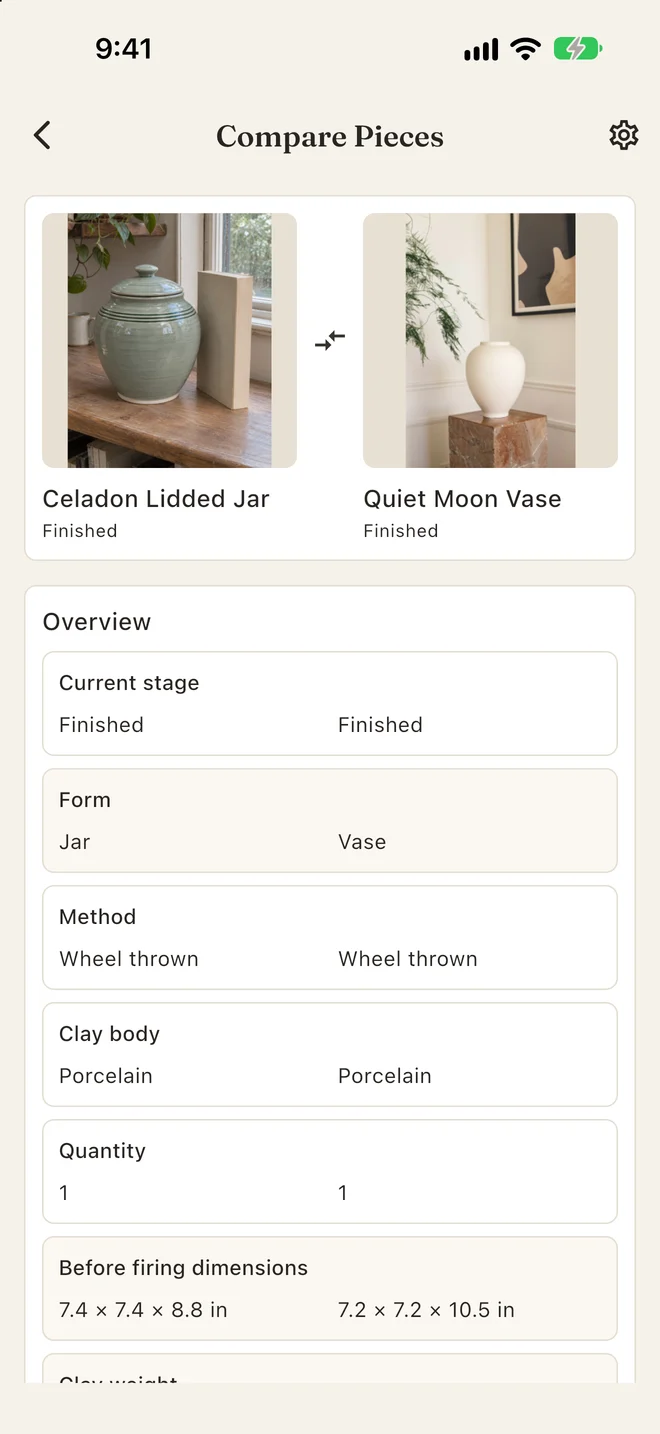
Put two pieces next to each other.

Why did one vase come out taller than the other? Library Compare lines up two pieces field by field: stage, form, method, clay body, quantity, dimensions before firing, and clay weight.

  • Plan a fired size using your clay’s measured shrinkage, or work back from the size you want
  • Duplicate a piece to start a set; use Bulk Edit to update several pieces together
ClayTrace Compare Pieces: a celadon lidded jar beside a white vase, both finished, wheel thrown, and porcelain, with their dimensions before firing

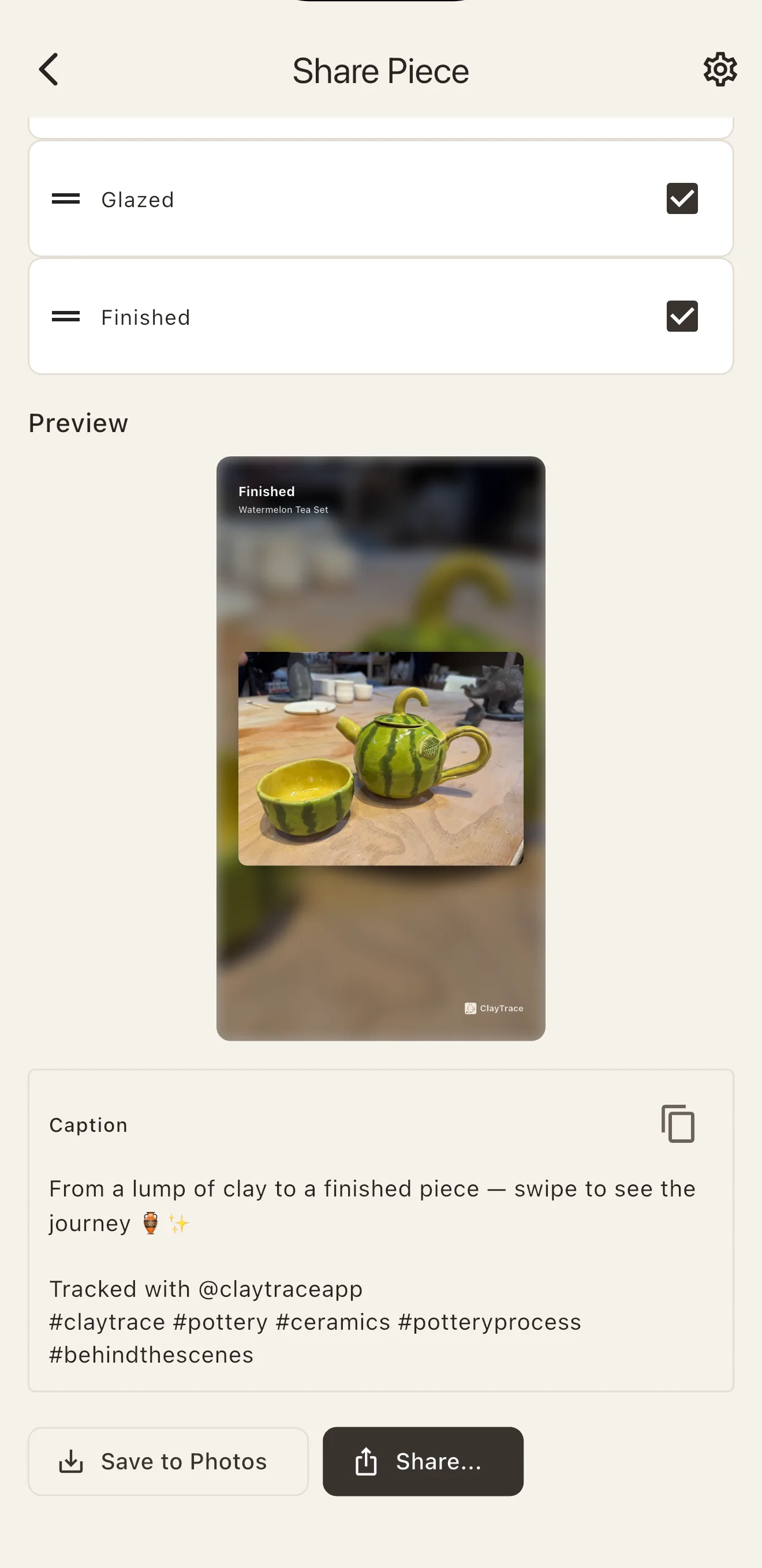
From a lump of clay to the finished piece.

Make a finished card or vertical process slides. Choose the stages and details to show, edit the caption that comes with it, then save it to Photos or share it from the app.

ClayTrace Share Piece: a finished card of a watermelon tea set, with switches for which facts to show, such as clay, finished weight, and size

The journal is free. Studio Pro is for a full shelf.

Free

No account, no ads, no limits on pieces

  • Unlimited pieces and glaze layers
  • Every stage, firing, and material field
  • Library search and Catalog lookup
  • Share cards and process slides
  • Skill Map, milestones, and monthly recaps
  • Export and restore your whole journal

Studio Pro

Monthly, or a one-time Lifetime purchase

  • Work Tags and tag filters
  • New-piece defaults
  • Library Compare
  • Shrinkage planner from your own clay
  • Bulk Edit and Duplicate

Your store shows local prices and any free trial. Lifetime never renews, and if a subscription ends, your records stay readable.

Questions potters ask

How do I start a pottery journal when my hands are covered in clay?

Start with a photo in ClayTrace. Quick Capture lets you save the studio moment first and file it to a piece later, keeping the date you took it. Add clay, glaze, firing details, and notes when you are ready. ClayTrace works for a first class, a community studio, or your own practice. Add detail as your work grows.

Can I record glaze combinations, coat counts, and firings?

Yes. Keep glaze and surface layers in application order for each area of a piece, with coats, method, brand, and notes. Record firings with cone or temperature, duration and hold, atmosphere, and additions such as soda or salt. Each stage keeps its photos and date.

Can I find the pieces I made with a particular glaze or clay?

Yes. Open a glaze or clay body in the Catalog to see the pieces that used it. The Catalog also shows use counts and links surface materials, forms, techniques, cones, brands, and locations to your pieces. Search your Library and notes to find a past result or the lesson you wrote down.

Can I track my pottery skills and milestones?

Yes. Journey includes a Skill Map linked to your pieces, with Want to Try, Tried, Practicing, and Comfortable states. Milestones recognize achievements as you work. Both are included in the free journal.

Can I share a finished piece or show how I made it?

Choose a piece’s photos and stages to make a share card or vertical process slides, then preview and save or share the result. You can edit the caption before sharing. Exported cards and captions are in English.

Can I make a monthly recap of my pottery?

Yes. Open Recaps in Journey, choose a past month, and pick one photo from an event recorded that month. ClayTrace makes a 4:5 card with your monthly totals, ready to preview, save to Photos, or share. You can copy the caption too. Month in Clay is included in the free journal.

Can ClayTrace help me plan for clay shrinkage?

Studio Pro’s shrinkage planner uses your own measured clay shrinkage to estimate a fired size, or work back from a target size. The plan is an estimate; the sizes you measure before and after firing stay as you recorded them.

What is free, and what does Studio Pro add?

The free journal includes unlimited pieces and glaze layers, every recording field, Library search, Catalog lookup, Skill Map, milestones, monthly recaps, sharing, and full backups. Studio Pro adds Work Tags, new-piece defaults, two-piece Compare, the shrinkage planner, Bulk Edit, and Duplicate. Choose monthly or a one-time Lifetime purchase; your store shows local prices and any available trial.

Can I update several pieces or make copies for a set?

Yes, with Studio Pro. Bulk Edit changes details across several pieces at once. Duplicate makes copies of a piece to start a set or repeat a form, so you can record each new piece’s progress.

What happens to my records if I stop paying for Studio Pro?

Everything you recorded stays readable. The free journal and export tools remain available; tools that need Studio Pro are locked. A Lifetime purchase never renews.

Do I need an account, and how do I back up my work?

ClayTrace works offline with no account or ads. Your records and photos stay on your device. Use the free Data & Backup tools to export a complete archive yourself, then restore it when needed or move it to a new phone. There is no automatic cloud backup or sync.

Is ClayTrace available on iPhone and Android?

Yes. Download ClayTrace for iPhone from the App Store or for Android from Google Play.

Which languages does ClayTrace support?

English, Japanese, Korean, French, German, Spanish, Italian, Brazilian Portuguese, Dutch, Polish, Simplified Chinese, and Traditional Chinese. Piece share cards and process slides use English. Monthly recap cards follow your app language.

The next time a piece works, you’ll know why.

Download ClayTrace free on iPhone or Android.

More from LifeVen

All apps